Redesigning school registration for the parent who has seventeen other things going on.
"Ugh. I don't want to do it."


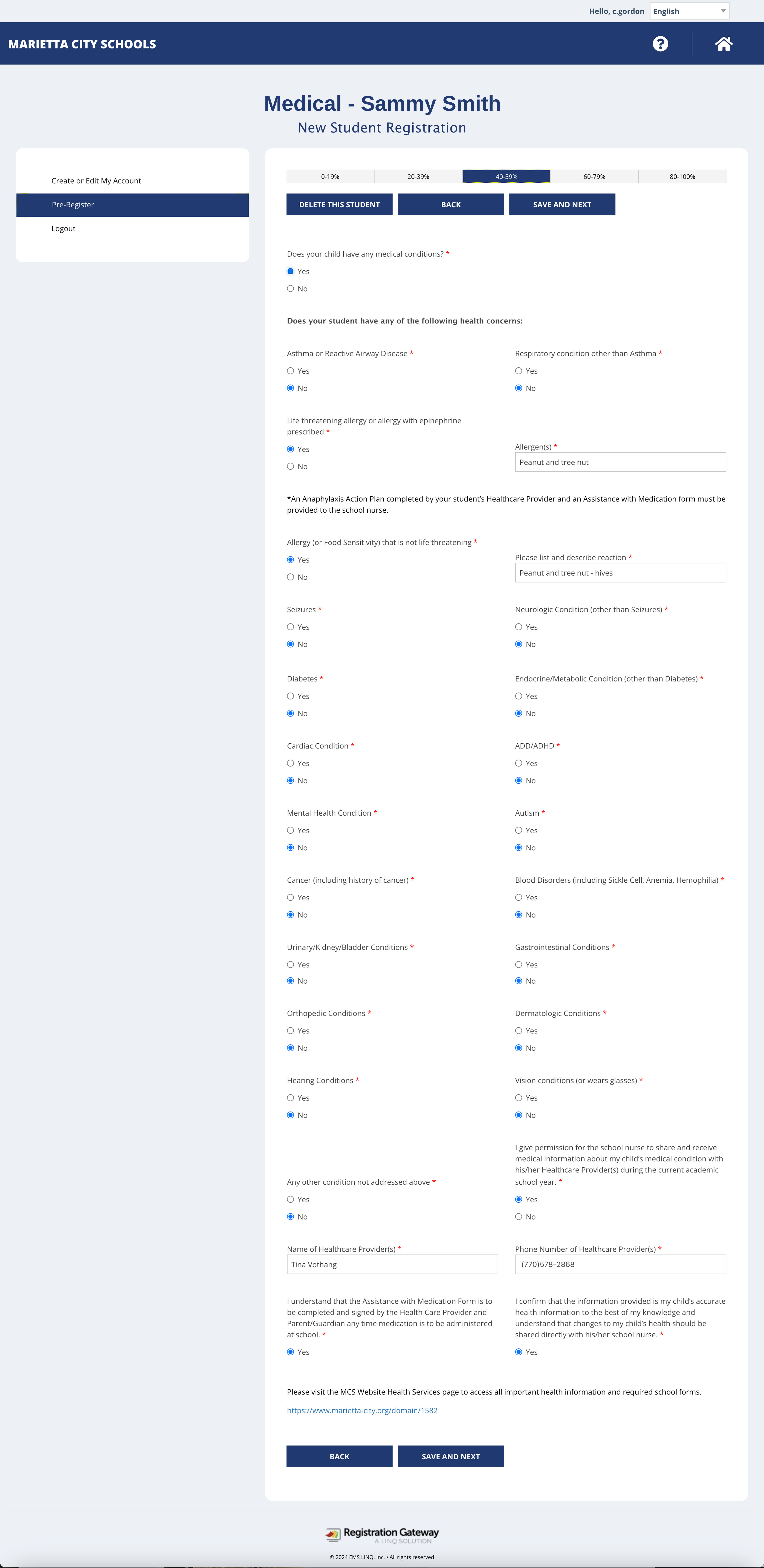
Most districts rely on a handful of white-labeled platforms built for compliance, not for people. The results are predictable: no visual hierarchy, no logical grouping, no sense of progress. Just page after page of undifferentiated questions—27 of them, answered linearly, with no way to skip around or save your place.
For busy parents, the experience is a sigh before it even starts. The most common response in user interviews wasn't frustration—it was resignation.
And the problem doesn't end at submission. A confirmation text is supposed to follow—but frequently doesn't, even when everything was completed correctly. So parents call the school to verify. Registrars field those calls all summer. One registrar shared that her office regularly works through summer break because late and incomplete submissions never stop coming in.
This is a broken system with two users—and it's failing both of them.
No grouping, no sidebar navigation, no way to skip or return. Every question answered in sequence, top to bottom.
confirmation text is supposed to follow submission. It doesn't arrive — forcing a call to the school to verify.
Scanning and emailing required documents is a common point of abandonment and delay.
The majority of primary caregivers manage everything on a phone—often while doing three other things.

The central design question wasn't "how do we make this form better?" It was: what does this experience need to feel like for someone who is easily distracted, always moving, and deeply unmotivated to do this? That question pointed immediately to three priorities.

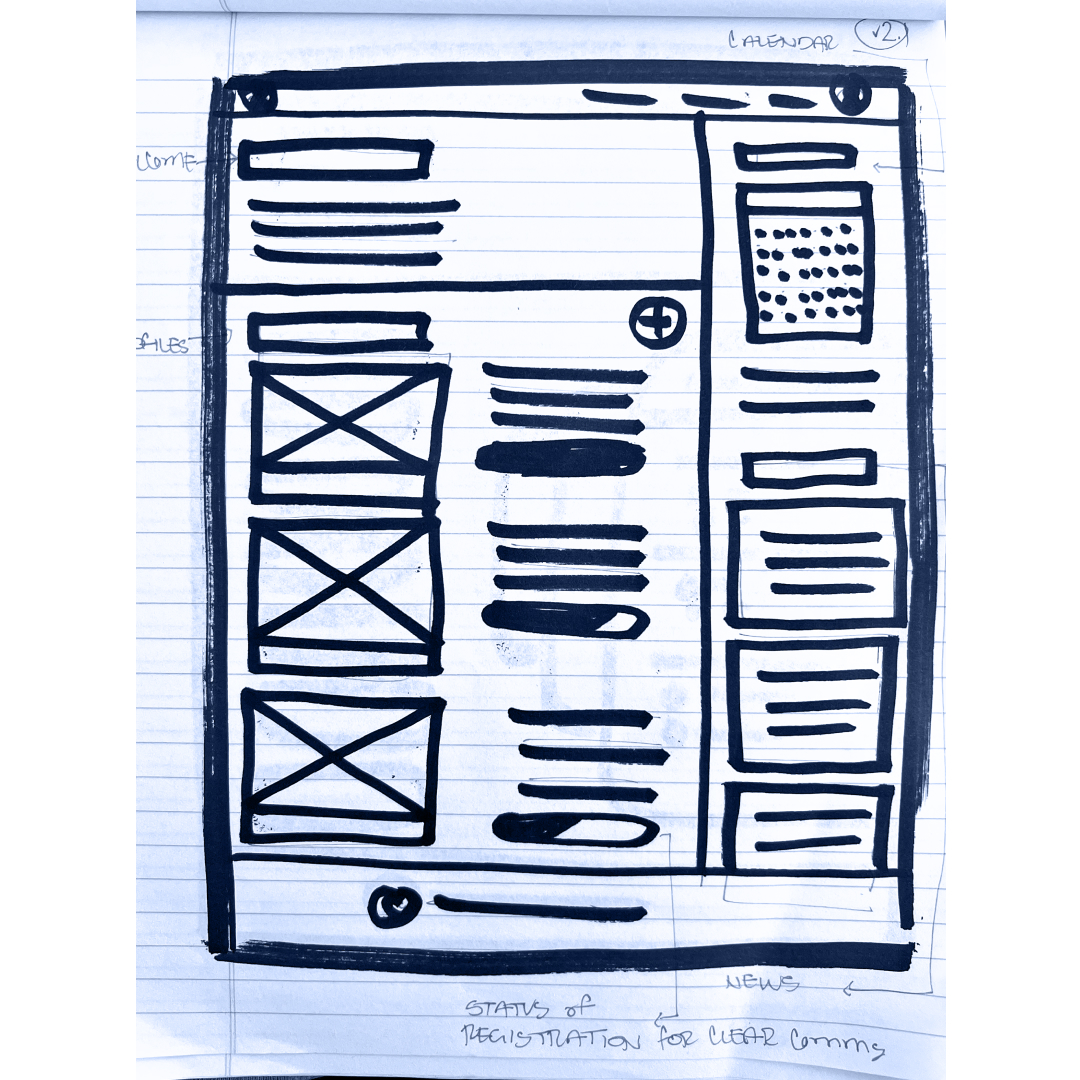


Usability testing showed measurably faster registration completion times and consistently positive feedback on the clarity and ease of the redesigned interface. Participants who had previously registered children through existing platforms noted the difference immediately.
More importantly: the resignation was gone. The experience felt manageable—even on a phone, even mid-distraction.
For registrars, a cleaner submission flow means fewer incomplete registrations, fewer follow-up calls, and—with any luck—summers back.
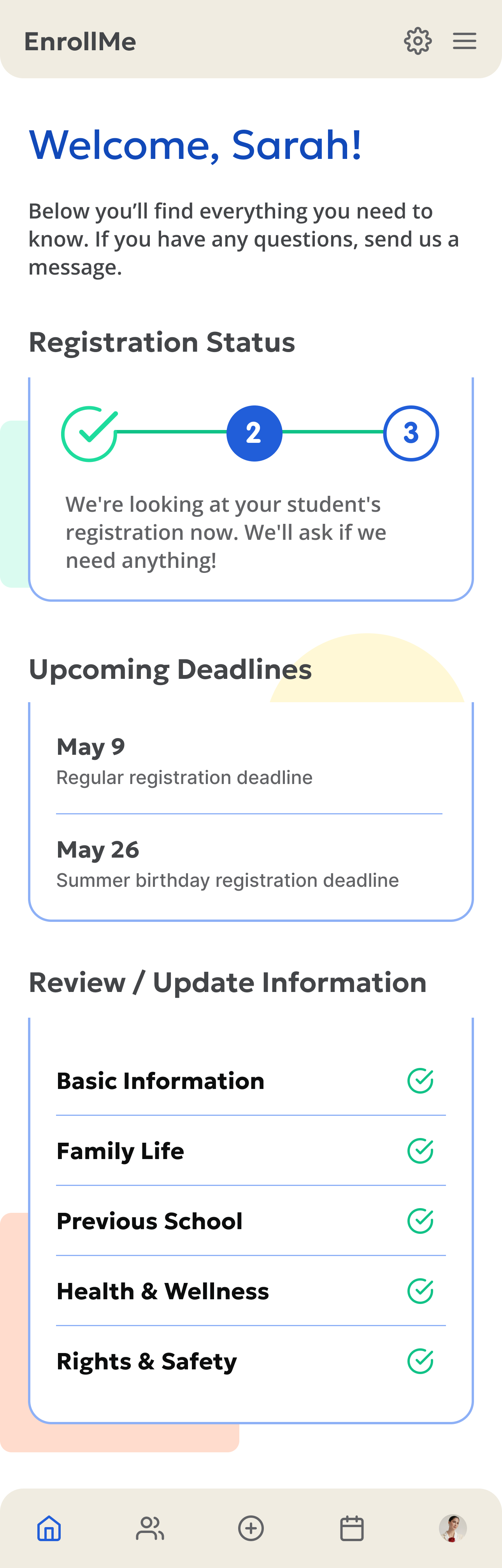
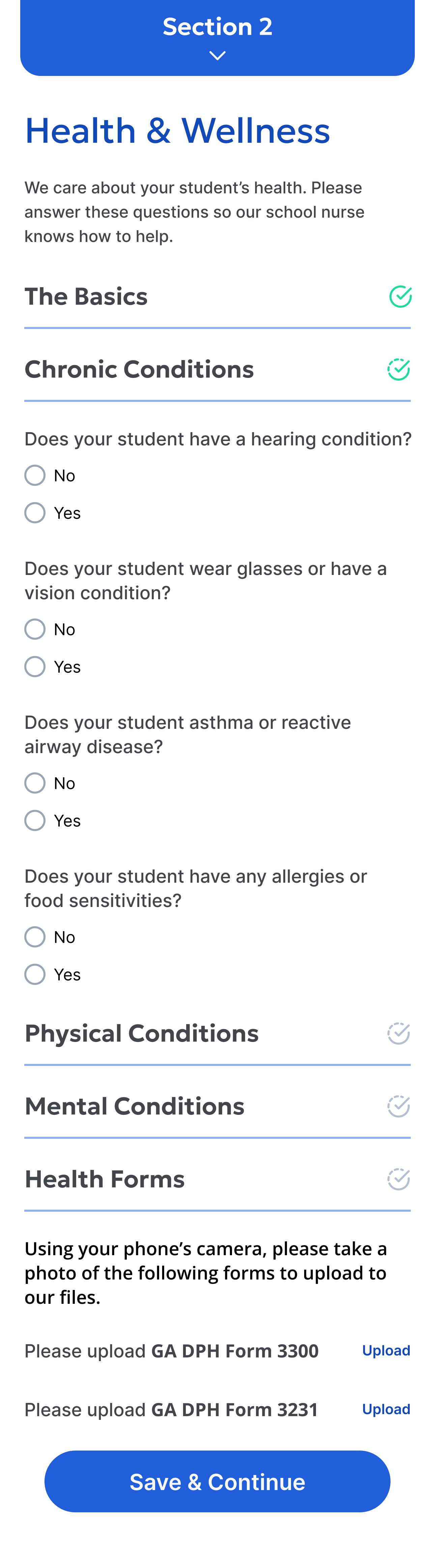
Good UX isn't decoration. It's the difference between a process people dread and one they move through with confidence. This project is a demonstration of how I approach any complex, multi-step system: start with the real human experience, identify where friction lives, and simplify until there's nothing left to remove.
The research came first—not to check a box, but because you can't solve a problem you haven't actually understood. The parent interviews, the registrar conversation, the competitive audit of existing platforms—all of it shaped decisions that would have been impossible to make from assumptions alone.
Whether it's a registration flow, a brand system, or a content strategy—the method is the same. Listen first. Simplify ruthlessly. Build it right so nothing needs patching later.
.png)
No pressure, no pitch. Just a conversation about what you're building and whether I'm the right person to help.


